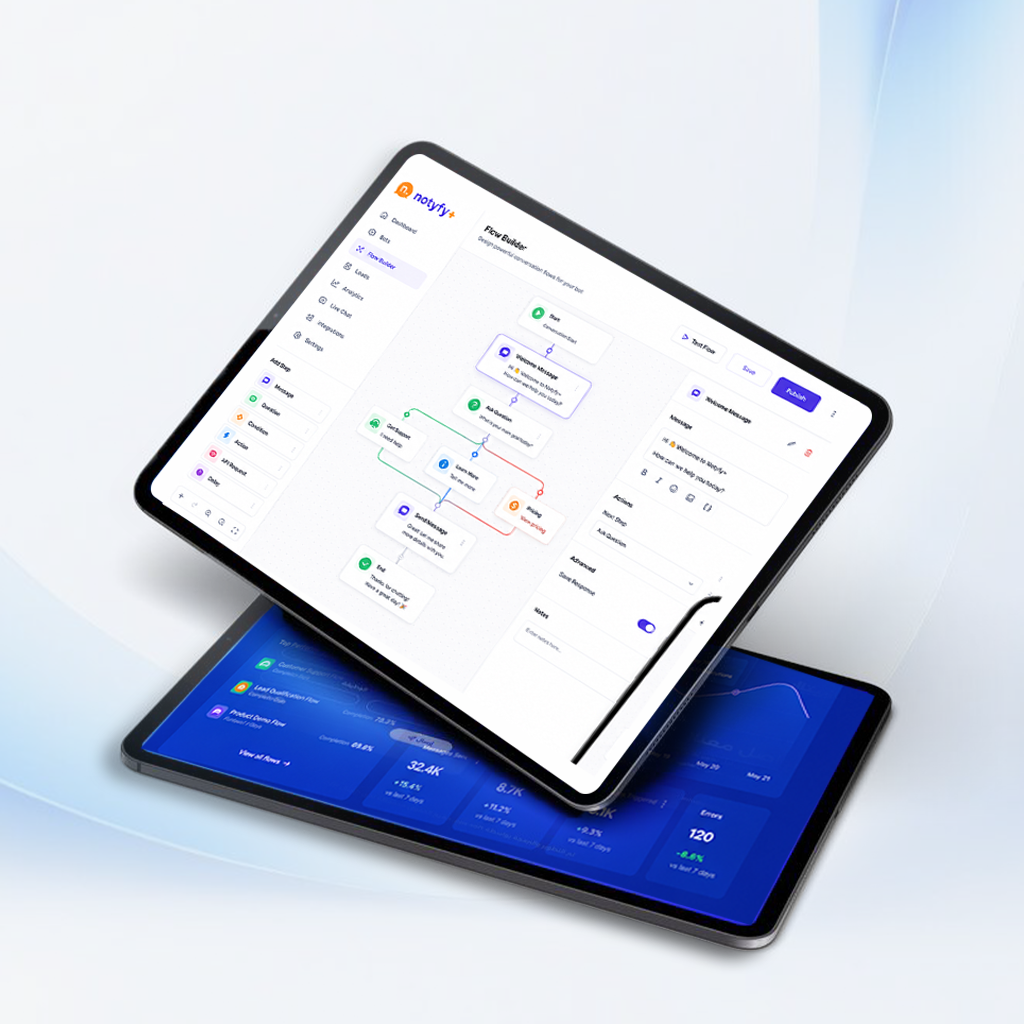
Create sophisticated multi-step conversation flows with conditions, delays, and actions.
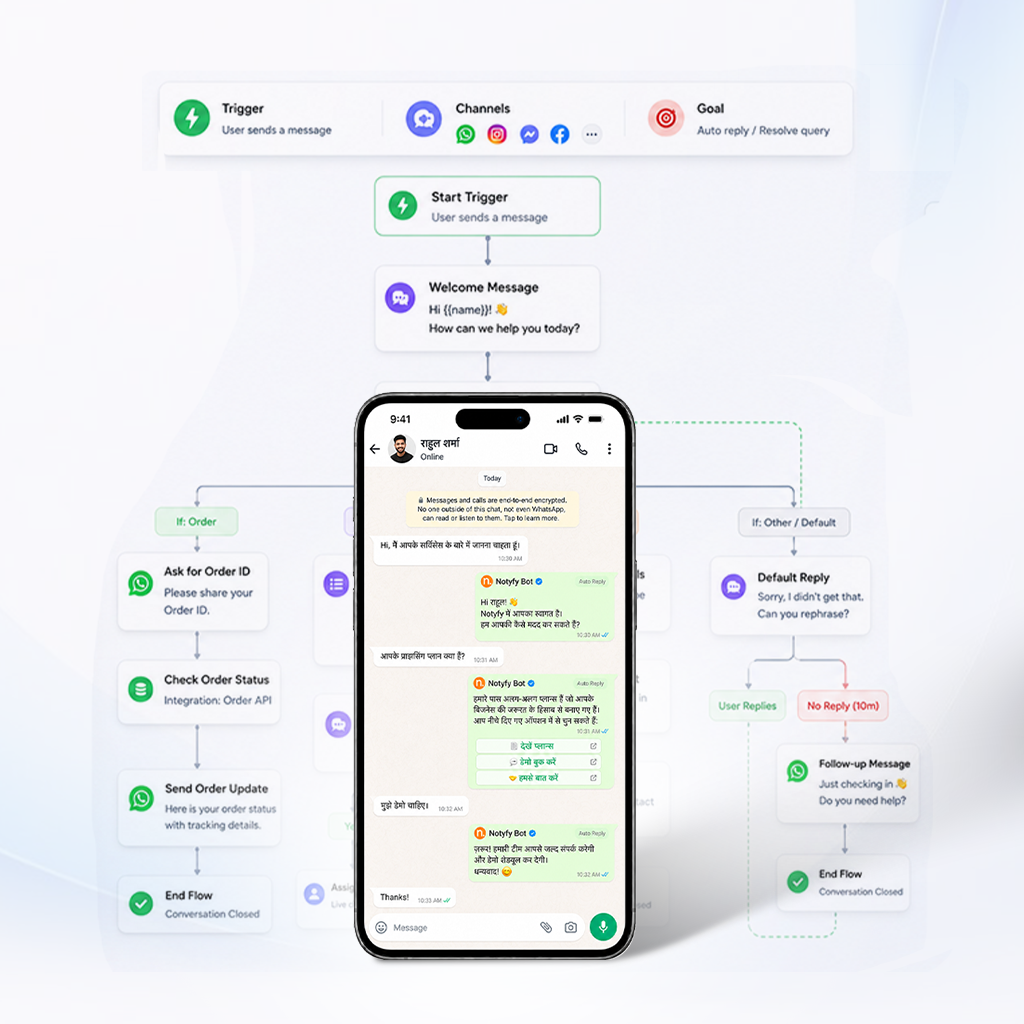
A WhatsApp Flow Builder lets you design conversation logic visually — branching paths, timed delays, and multi-channel triggers — without writing a single line of code. NOTYFY PLUS's WhatsApp Workflow Builder goes beyond simple linear replies: Conditional Logic sends users down different paths based on how they respond, Time Delays pace messages so a flow feels natural rather than robotic, and Loop Logic handles retry sequences for follow-ups. This makes it a genuine No Code WhatsApp Flow tool for anyone who needs conversation logic more sophisticated than a basic auto-reply.
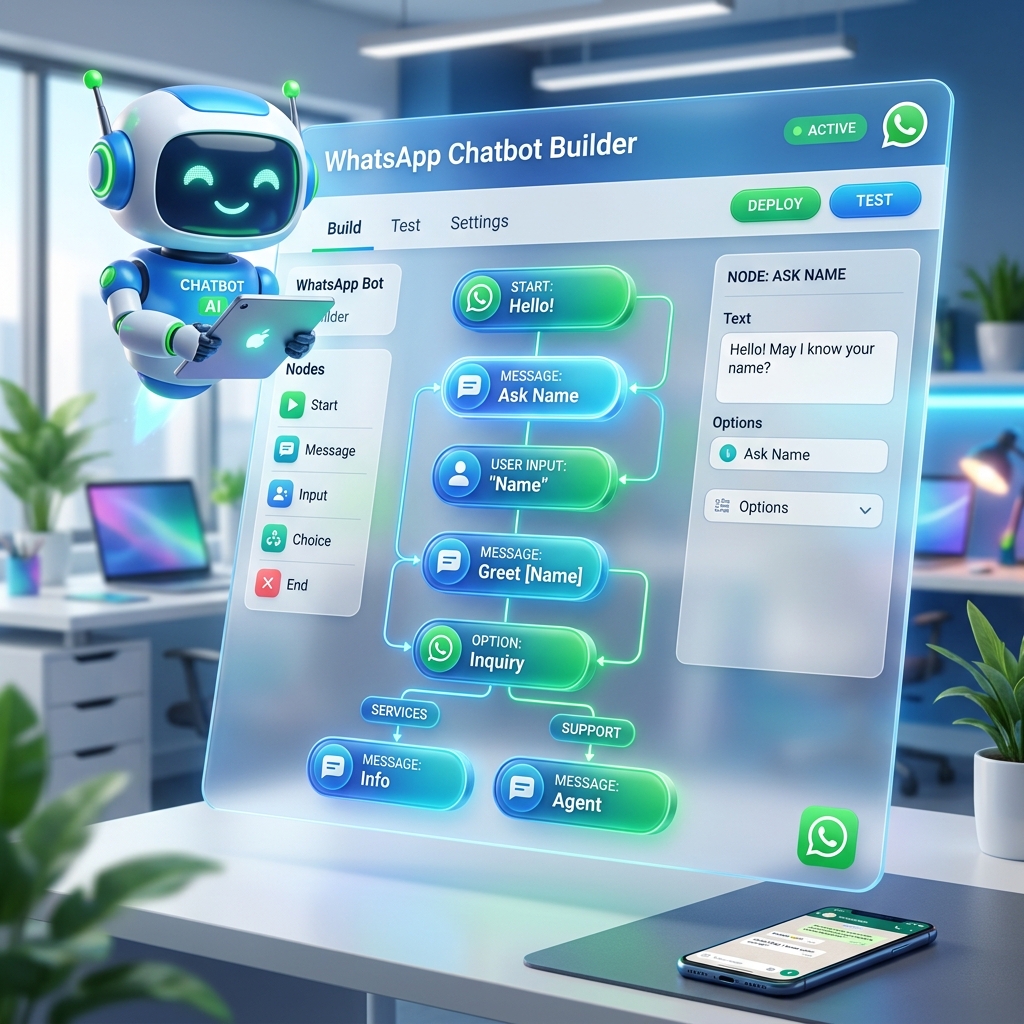
Powerful features designed to help you succeed with a complete No Code WhatsApp Flow builder.

Drag-and-drop interface for complex flows.

Natural-feeling conversation pacing.

Different paths based on user responses.

Start flows from multiple sources.

Retry mechanisms for follow-up sequences.

Monitor performance and drop-off points.
Map out complex customer journeys with visual drag-and-drop precision.
A WhatsApp Workflow Builder should let you map out an entire conversation visually before it goes live every branch, delay, and condition — instead of guessing how a script will behave. NOTYFY PLUS's Visual Flow Designer uses a drag-and-drop interface built specifically for complex, multi-step flows.
A WhatsApp Automation Flow Builder needs to handle pacing, not just logic; a flow that fires every message instantly feels robotic, while natural delays make automation feel like a real conversation. NOTYFY PLUS's Time Delays feature spaces out messages for natural-feeling conversation pacing, and Multi-Channel Triggers let a single flow start from different entry points.
A WhatsApp Chatbot Flow Builder routes a conversation down different paths depending on what the user says yes vs. no, interested vs. not — rather than sending everyone through the same script. NOTYFY PLUS's Conditional Logic sends users down different paths based on their responses, and Loop Logic handles retry mechanisms for follow-up sequences that need to repeat until they get a response.
A WhatsApp Conversation Flow is the complete map of everything that can happen in a chat — every branch, delay, and possible drop-off point designed and tested before it reaches real customers. NOTYFY PLUS's Flow Analytics shows exactly where users drop off in a flow, so you can identify and fix weak points in the conversation design itself.
Everything you need to know about WhatsApp Flow Builder.
Ask A QuestionThe WhatsApp Business API is an enterprise solution by Meta designed for businesses to automate messaging, broadcast to large lists, integrate AI chatbots, and manage customer interactions at scale.
NOTYFY PLUS offers an all-in-one platform combining official WhatsApp API, Instagram DM automation, and Facebook Messenger chatbots with no coding required.
A WhatsApp flow builder handles branching logic, timed delays, and retry sequences — routing users down different paths based on their responses, rather than sending the same fixed reply to everyone regardless of what they say.
No, the Visual Flow Designer uses a drag-and-drop interface. You connect blocks to define conditions, delays, and triggers visually, with no scripting or developer involvement needed to launch a flow.
You can use your existing mobile number or a new virtual business number. We assist with registration and Meta verification during onboarding.
Simply sign up for an account, choose your plan, and follow our guided onboarding to connect your Facebook Business Manager and launch your first campaign in minutes.
WhatsApp charges standard Meta conversation fees based on destination country and conversation type (marketing, utility, service, authentication). Our platform subscription provides access to all tools and features.
Join hundreds of businesses using NOTYFY PLUS to power their WhatsApp marketing.